This light is presented by the letters "ABS" inside a circle surrounded by parentheses. If it illuminates and stays on while driving, your system needs service. You can still drive with this light on, but it's recommended to get service as soon as possible to avoid skidding or losing control in particularly challenging road conditions.
This light will pop up briefly when you start your vehicle. However, if it illuminates while the engine is running and/or your vehicle is in operation, it can indicate an issue with the battery system. If you see this light other than at start-up, bring your Lincoln car or SUV in for service.
There are two icons that indicate your brake system: One simply says "BRAKE," while the other looks like an exclamation point inside of a circle surrounded by parentheses. These lights illuminate in red to let you know that your parking brake is engaged. If it remains illuminated after you release the parking brake, it means your system requires service.
This icon is an overhead view of a vehicle with the doors open. It illuminates to let you know that one or more doors are not fully closed while the ignition is on.
There are a couple of symbols you may see for the Electric Parking Brake. One looks like an exclamation point inside of a circle surrounded by parentheses, and the other is an uppercase "P" in the middle of a circle with parentheses around it. When this lamp illuminates in yellow, it may indicate a malfunction in the parking brake. If it is red, it is typically warning you to disengage your parking brake before driving.
The engine coolant temperature light looks like a thermometer dipped in water or waves. This symbol illuminates to let you know that your engine coolant temperature is off-balance; typically, when it's too high. If you see this light, pull over as soon as it is safe and shut off your vehicle. If it keeps coming on, bring your car in for service immediately.
The fasten seatbelt icon is a universal symbol, appearing as a person in a seat with a seatbelt across them. This light pops up and a tone will sound, reminding you and your passengers to fasten your seatbelts for safety.
The hood ajar light appears as a car with the hood open. It illuminates when the vehicle is running and the hood is not completely closed and latched.
Opposite of the hood ajar light, the liftgate ajar icon appears as a vehicle with the liftgate open. And, as you may guess, it's telling you that your liftgate is not completely latched.
An exclamation point inside of a lightbulb surrounded by rays is a low beam warning. This symbol lights up to let you know that your low beam headlamp requires service.
If you ever see a gas pump symbol light up on your Lincoln dashboard, head to the nearest gas station. This light shows up to let you know you're low on fuel.
An exclamation point between parentheses that are open on top and closed on the bottom is your tire pressure warning light. This light indicates when one or more tires are improperly inflated. If it begins to flash, it may mean that your tire pressure monitoring system is malfunctioning and needs service.
When the washer fluid level is low, a curved icon with waves through it will light up and let you know that it's time for a refill.
This universal light is known as the malfunction indicator lamp or MIL, but most of us know it as the dreaded check engine light. If you see this symbol on your dashboard, bring your Lincoln vehicle in for diagnostics as soon as possible.
If you see a dripping oil can icon on your dashboard, this means that your engine oil pressure is low. If it appears, bring your car in for service immediately, as delaying could lead to significant engine problems.
A double-sided wrench icon on your Lincoln dashboard is a powertrain fault light and appears when your powertrain needs attention.
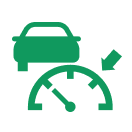
This feature looks like a speedometer with a car symbol on the left and an arrow on the right. If your car is equipped with this technology, it will illuminate to let you know that your cruise control is ready or active.
The airbag icon looks like a person in a car seat from a side view with a ball in their lap and will light up to let you know the airbags are active.
A hand inside a circle surrounded by parentheses or a hand in a circle with a slash through it are both indicators of the Auto Hold system, and these symbols let you know if it is engaged or not. This feature applies the brakes to hold your vehicle after coming to a stop, like at a stoplight.
This icon looks like a sideways jellyfish with an A in the middle, and when activated, it will light up.
This feature is symbolized by either an "A" with a circular arrow around it or the same symbol with a slash through it, indicating that it is not activated. This system helps reduce fuel consumption and emissions by stopping the engine while idling.
This symbol looks like a car icon with waves coming off the bumper and another car behind and to the side of it. This light is a part of your Blind Spot Information System, if equipped, and it either lets you know that the system is inactive (with the word OFF), or it will alert you that there is a vehicle in your blind spot. Check your owner's manual for more information.
If equipped, this light appears as a car between two lines with a steering wheel overlayed on top. Gray indicates that the system is on but inactive, green means that it is active and applying continuous steering support, and blue shows that it is engaged, and hands-free driving mode is available.
A speedometer with an arrow symbol is the Cruise Control indicator lamp. It will illuminate to let you know when your Cruise Control system is ready or active.
This icon looks like a sideways jellyfish with a slash through the tentacles. Your front fog lamp will light up when you turn on your fog lamps.
This indicator light also looks like a sideways jellyfish, but it has straight tentacles with no slash. If your high beams are on, you'll see this symbol on your Lincoln dashboard.
The Hill Descent Control indicator, when equipped, appears as a car on a decline with a speedometer in the top left corner. It shows up to let you know that your Hill Descent Control system is active and controlling the speed of your descent down steep terrain. This feature can also display various messages, some of which alert you to a need for service, and others are informational. If you see "Hill Descent Control Fault," bring your vehicle in for inspection.
Hill Start Assist is a system that applies the brakes to hold your vehicle after you bring it to a stop on a slope. It prevents you from rolling backward and makes it easier to pull away without using the parking brake. When equipped, this icon looks like a car on an uphill grade inside a circle surrounded by parentheses. If you see the message "Hill Start Assist Not Available," the system may require service.
When equipped, Lane Centering is a system that helps keep your vehicle centered in a lane while using Cruise Control. The icon looks like a car between two lanes with a steering wheel overlay, like the Lincoln BlueCruise symbol. It illuminates to let you know when the system is available or active. Gray means it is on but in standby mode, green means it is enabled and active, and amber with an audible alert then switching to gray indicates an automatic system cancellation.
When equipped, your Lane Keeping System alerts you to perceived lane deviations by providing temporary steering assistance or vibrations when it detects an unsignaled lane or road departure. The icon appears as a car between two lines with an arrow on each side. Different colors have different meanings for this indicator:
- Gray: system is temporarily unavailable
- Green: system is available or ready to provide warning or intervention
- Orange: system is providing or has just provided Lane Keeping intervention
- Red: system is providing or has just provided a Lane Keeping alert
The parking lamps icon illuminates when you switch the low beam headlamps or your parking lamps on.
The Pre-Collision Assist light, when equipped, appears as an icon of a car in a lane with a crash symbol and arrow behind it. Although it may be an alarming illustration, this symbol shows that the Pre-Collision Assist system is active. It can provide either alerts or brake support to mitigate a collision with a vehicle or object in front of you. Different colors for this icon have specific meanings.
- Blue: Distance gap of greater than 82 feet.
- Yellow: Distance gap of 56 to 82 feet.
- Red: Distance gap of less than 56 feet.
You may see warning or informational messages associated with this system. For example, seeing "Pre-Collision Assist Not Available Sensor Blocked" may mean there is mud or snow covering the sensor. Alternatively, "Pre-Collision Assist Not Available" may indicate a malfunction with the system.
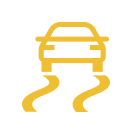
An icon of a car with curved tire tracks behind it indicates your stability control system. This light appears when you start your vehicle. If it turns on while driving and does not turn off, it could indicate a malfunction that needs immediate service.
This symbol looks like the Stability Control icon with the word "OFF" below it. The traction control off indicator illuminates when you manually turn off traction control, or when an alternative stability control mode is selected. There are a few informational messages you may see with this system: "Traction Control Off," "Traction Control On," or "Service AdvanceTrac," the latter of which indicates that your vehicle needs service.
The arrow indicators on your Lincoln dashboard are turn signal lights, which are universal icons letting you know that your turn signals are in use.